Need to manage mandatory training but also give employees more say in what they learn? That’s where the learning experience platform (LXP) vs. learning management system (LMS) decision gets complicated. The two platform types started with different purposes, but the gap between them is getting smaller.
This guide breaks down where they still differ, from compliance and reporting to AI recommendations and skill development. It also explains when an LMS, an LXP, or a platform that combines both fits the job.
Key takeaways Choose LMS capabilities when you need to assign, track, and document training. Look to LXP capabilities when employees need more choice, personalized recommendations, and ongoing skill development. If your organization needs both, a unified platform can cover formal and self-directed learning without adding a second learning environment.
What is an LMS? An LMS is a platform where a company can host its training and track who has done what. Courses, assignments, test results, and completion records all live in the same system.
That’s particularly useful for training that people cannot simply skip, such as compliance, certification, or new employee onboarding . A cloud-based LMS lets L&D manage all of this online.
LMS: Key features Structured learning paths: Organize courses into a set sequence and guide employees through required training. Tracking and reporting: Track progress, completions, assessment results, and other training data. Assessments: Use quizzes and tests to check knowledge and identify gaps. Compliance and certification management: Assign mandatory training, issue certificates, send reminders, and track completion. One place for digital learning content: Courses and supporting materials are easier to maintain when they aren’t scattered across different tools. Connections to other systems: Integrations can bring the LMS into existing HR, authoring, and virtual training workflows. Benefits of using an LMS An LMS makes structured training easier to manage at scale. Whether employees work in different healthcare departments or across several manufacturing sites, they can receive the same required training while L&D tracks completion. It also reduces L&D’s administrative workload.
What is an LXP? A learning experience platform (LXP) puts more of the learning choice in the employee’s hands. People can explore content around their interests and career goals instead of working only through courses selected for them.
LXPs make that possible by bringing resources together, recommending content with AI, and giving colleagues ways to share what they know. Learning can then change along with an employee’s role and skills.
LXP: Key features AI recommendations: Suggest useful content based on each learner rather than showing everyone the same options.Content discovery: Put internal and external learning resources within easier reach.Skills-based learning: Connect development opportunities with current skills and areas employees need to strengthen.Social learning: Support discussions, peer learning, feedback, and user-generated content.Self-directed learning: Give employees room to explore topics and choose resources beyond assigned training.Learning analytics: Give L&D a view of the content, topics, and skills employees are engaging with.Benefits of using an LXP A learning experience platform gives employees more reasons to learn outside assigned courses. They can find something useful when a new task comes up, explore a skill they want to build, or choose a format that works for them. Learning also becomes less dependent on formal content. Employees can share useful resources, contribute what they know, and learn from colleagues.
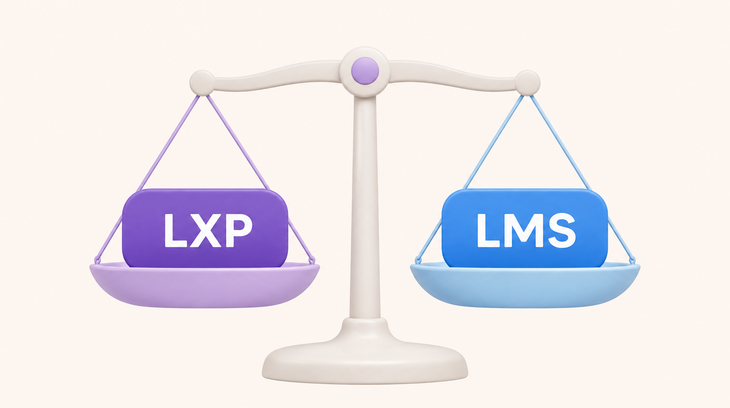
LXP vs. LMS: Key differences at a glance Both LMS and LXP belong in workplace learning, just at different moments. An LMS handles training the organization has already decided is necessary. An LXP is more useful when employees are looking for what to learn next.
LMS
LXP
Workplace learning approach
Structured, often based on assigned courses and learning paths
More exploratory and self-directed
Control
L&D or administrators decide what learners need to complete
Learners have more freedom to choose what and how they learn
Content
Primarily organization-approved courses and training materials
Often combines internal, external, and user-generated content
Personalization
Learning can vary by role, team, or training needs
Content and paths are often tailored to individual interests, goals, and skills
AI
Can support content creation, administration, recommendations, and analytics
Often used heavily for content discovery and personalized recommendations
Compliance
Strong fit for mandatory training, certifications, deadlines, and audit records
Usually less focused on tightly controlled compliance programs
Reporting
Tracks assignments, completions, scores, certifications, and other training results
Places more emphasis on employee engagement, interests, and skills
Social learning
May include discussions, feedback, and knowledge sharing
Usually gives peer learning and user-generated content a larger role
Skills development
Can use structured learning paths to address defined skill gaps
Often uses skills mapping and recommendations to guide ongoing development
Common use cases
Onboarding, compliance, certification, product, and process training
Continuous learning, upskilling, professional development, and content discovery
LMS vs. LXP: A detailed comparison LMSs and LXPs differ most in how personalized learning experiences are shaped. An LMS tends to start with what the organization needs employees to complete. An LXP more often starts with what the employee wants or needs to learn.
Continuous learning approach and control An LMS usually begins with something the company needs employees to learn. L&D assigns onboarding, product training, certification, or another program and decides what needs to be completed and when.
With a learning experience platform, employees have more say. They can explore topics, follow recommendations, and choose the learning journey that fits their goals.
Course content and discovery An LMS tends to organize content around standardized training programs and assignments. Employees log in knowing what they need to take.
With an LXP, browsing is part of the experience. People can discover resources from inside and outside the company instead of working only through assigned content.
Personalization and AI Personalization happens in both systems, just in different ways. A learning management system may adapt the training path to an employee’s role or results.
An LXP is more likely to use artificial intelligence to keep suggesting relevant content as the employee learns, explores new topics, or works on particular skills.
Compliance This is where the traditional learning management system model has a clear purpose. For mandatory training, L&D needs to know who was assigned a course, who completed it, whether they passed, and when a certification expires.
An LXP can contain compliance courses, but learner choice alone is not enough when training is required. Organizations in highly regulated industries generally need the assignment, certification, and audit controls associated with an LMS.
Reporting and analytics An LMS tells L&D what happened with assigned training programs: who enrolled, who finished, how they scored, and whether certifications are current.
An LXP can show a different side of learning culture — what employees search for, which resources they use, and what skills are getting their attention.
Social learning An LMS may add conversation and knowledge sharing around its courses. The training itself, however, usually remains the main focus.
An LXP puts more emphasis on what employees can learn from one another — whether that means sharing a useful resource, following an expert, or contributing their own experience.
Skills development An LMS works well when the skills employees need are already clear. L&D can build a learning path around those skills and guide people through it.
An LXP is more flexible. Skills mapping can uncover gaps, while recommendations point employees toward learning that fits their changing role or goals.
Integrations and scalability Integrations matter with either platform, especially as more learners, content, and systems are added. If an organization uses both an LMS and an LXP, L&D also has to keep those two environments connected. A unified platform can reduce that extra work by keeping structured and self-directed learning together.
LMS vs. LXP: Pros and cons Neither approach covers every learning need equally well. The trade-off is mainly between control and flexibility : an LMS is stronger when training needs to be assigned and documented, while an LXP gives employees more freedom to explore and shape their own professional development.
Pros
Cons
LMS
Gives L&D clear control over assignments, learning paths, deadlines, and certifications. Strong reporting makes it well suited to onboarding, compliance, and other structured training programs.
Can feel restrictive if most learning is assigned from the top down. Content discovery and self-directed learning may be more limited, depending on the platform.
LXP
Gives learners more choice in what they explore and how they develop, with recommendations and peer learning helping them find useful opportunities.
Less suited to training that requires strict assignment, completion tracking, and audit records. A large content library can also become difficult to navigate if recommendations and curation are weak.
In reality, organizations may not need one platform for formal training programs and another for everything else. More systems now combine LMS controls with personalization, discovery, and social learning.
LMS vs. LXP: Which should you choose? Think about how much of the learning needs to be controlled. A learning management system works well for training employees are expected to complete, while an LXP gives them more choice over what they learn next. The two needs often overlap. The same company may run mandatory training and still want employees to take charge of their longer-term development.
If you need to…
Consider
Why
Manage compliance training and certifications
LMS
You can assign required courses, set deadlines, track completion, and keep training records.
Run consistent employee onboarding
LMS
New hires can follow structured learning paths while HR and L&D track their progress.
Support personalized development
LXP
Employees can discover content based on their interests, goals, and skill gaps.
Encourage continuous upskilling
LXP
Learners have more freedom to explore resources and develop new skills as their needs change.
Handle both required training and self-directed development
Combined platform
LMS controls can cover formal training while LXP-style features add discovery, personalization, and social learning.
Do you need an LMS, an LXP, or both? The two approaches often serve different needs in the same company. Compliance training may need tight structure, while ongoing development gives employees more room to choose what they want to learn.
One option is to run an LMS and an LXP side by side. This can give each use case its own dedicated platform, but it also adds another system to manage. L&D teams may need to maintain integrations, administer users and content in two places, and bring together learning data from separate sources. For employees, moving between platforms can also make the learning experience feel fragmented.
The alternative is a single learning platform that combines the two approaches. Organizations can keep structured learning and mandatory training under L&D control while also offering content discovery, personalized development, and social learning. This avoids having to maintain two separate learning environments simply to support different types of learning.
iSpring LMS is a great example of this blend. It started as a SCORM-compliant LMS and now incorporates some of the key features of an LXP, giving you the tools to deliver effective corporate training while keeping things engaging and learner-friendly.
How iSpring combines LMS and LXP features iSpring LMS keeps the structure organizations need for formal training while giving employees more choice in how they develop. Instead of separating these needs between two systems, L&D teams can manage required programs and support more independent learning journeys in the same platform.
for your mission-critical project
Keep structured training under control A new hire may have several courses to finish in a set order, while another employee is coming up for recertification. Administrators can set up those paths, assign the right training programs, and automate the follow-ups. On-the-job tasks and their results can stay in the learning platform too.
Give employees a more personal path Development Plans give managers and employees a place to set goals and plan the steps toward them. Employees can also browse Course Catalog and enroll in courses or learning tracks themselves.
Make learning easier to find and share Knowledge Base keeps reference materials searchable, while Course Catalog gives employees somewhere to find optional learning. Newsfeeds, discussions, feedback, and gamification bring more interaction into the experience.
Create and bring in content without building everything from scratch Existing SCORM courses, videos, and documents can go straight into the LMS. Teams can also use ready-made libraries or built-in AI to create new material, while iSpring Suite covers more involved interactive courses.
See what is happening beyond course completion L&D can report on course progress, assessments, certifications, and activity. 360-degree reviews and performance data can also point to areas where an employee may need further development.
At Jitasa , iSpring LMS helped raise regular employee participation in eLearning to 96% and shorten onboarding by one to two months through structured training, practical assessments, reporting, and knowledge sharing.
for your mission-critical project
AI and skills-based learning are changing LMSs and LXPs An employee might need to finish a required compliance course on Monday and look for help in a new skill development on Tuesday. Those two needs once pointed to different systems. Increasingly, they don’t.
Modern learning platforms can assign and track mandatory training while also recommending content based on an employee’s skills, role, and goals. AI makes those recommendations more responsive, while skills mapping gives the platform something more useful to work from than a job title alone.
This is why the LMS vs. LXP divide is becoming less clear. The focus is shifting toward platforms that can handle formal training when it is required and support more personal, continuous learning when it isn’t.
LMS vs. LXP: The final verdict If you need tight control over assigned training, compliance, and reporting, an LMS is the natural fit. If the priority is content discovery and self-directed development, an LXP gives employees more room to shape their own learning. AI in LXPs allows for real-time content curation based on user behavior.
For organizations that need both, a unified platform can avoid the extra administration and fragmented experience of running two separate systems. iSpring LMS combines structured training with personalized learning paths and social learning in one place.
Want to see how that works in practice? Try iSpring LMS for free .
FAQ about LMS vs. LXP What are the key differences between an LMS and an LXP? The simplest distinction is that an LMS usually has a defined destination. There’s training to complete and a record to keep. An LXP is more open-ended, giving employees space to discover useful content and keep developing without every step being assigned.
Which is better for corporate training, an LMS or an LXP? There isn’t one answer for every corporate training program and all business objectives. Compliance and onboarding usually call for LMS-style controls; continuous development and content discovery are closer to the LXP model.
How do I choose between an LMS and an LXP for my organization? Start with the relevant training you already run. If you need assignments, deadlines, certifications, and detailed completion records, look for strong LMS capabilities. If content discovery and personalized development matter more, look closely at LXP features. If you need both, consider a platform that combines them.
Can an LMS have LXP features? Absolutely. “LMS” no longer necessarily means that every course is assigned from the top down. Some LMS platforms also let employees discover learning, choose optional courses, collaborate with colleagues, and follow personalized development paths.
Can you use an LMS and an LXP together? Yes. Some organizations use a modern learning management system for essential training and an LXP for content discovery and employee development. The downside is having two systems to integrate, administer, and report on.
Which is better for compliance training, an LMS or an LXP? Compliance usually requires a paper trail. L&D needs to assign the right training, track completion, manage learners’ certificates, and have reliable records when they’re needed. An LMS handles that structure well.
What integrations should I consider for an LMS or an LXP? The right integrations depend on your employee learning strategy. For many organizations, HR systems and SSO come first because they affect user management and access. Your content libraries, authoring tools, and virtual training platforms may also matter.
How much do LXPs and LMSs cost? Look beyond the subscription price. Running separate LMS and LXP products may also mean paying for two contracts, maintaining integrations between them, and spending more time on administration.
for your mission-critical project
 17 min
 17 min






 18 min


